PDF listing sheets
How to make a property listing sheet PDF on iPhone
The short answer: you don't need Canva, Word or a desktop. With a real estate app like Property Agenda, every property you've saved can become a professional PDF listing sheet — photos, price, specs, features and your name — in one tap, ready to send by WhatsApp or email before your client even asks.
A listing sheet (also called a property flyer, fact sheet or one-pager) is often the first impression a buyer gets of a property — and of you. Agents who send a clean, branded PDF minutes after a call look prepared; agents who send six loose photos and a voice note don't. The problem was never willingness — it's that making flyers by hand takes twenty minutes per property and you're doing it from a parking lot.
What a good listing sheet needs
- Hero photos — the two or three best shots, not all thirty.
- The numbers buyers ask first — price, bedrooms, bathrooms, built area, parking.
- Location and features — the area plus differentiators like a garden, terrace or 24-hour security.
- Your name — so the sheet keeps selling you when it gets forwarded.
Making the PDF in Property Agenda, step by step
- Save the property once. Add it in the Properties tab with photos, price, area and features — it takes under a minute, and it works offline.
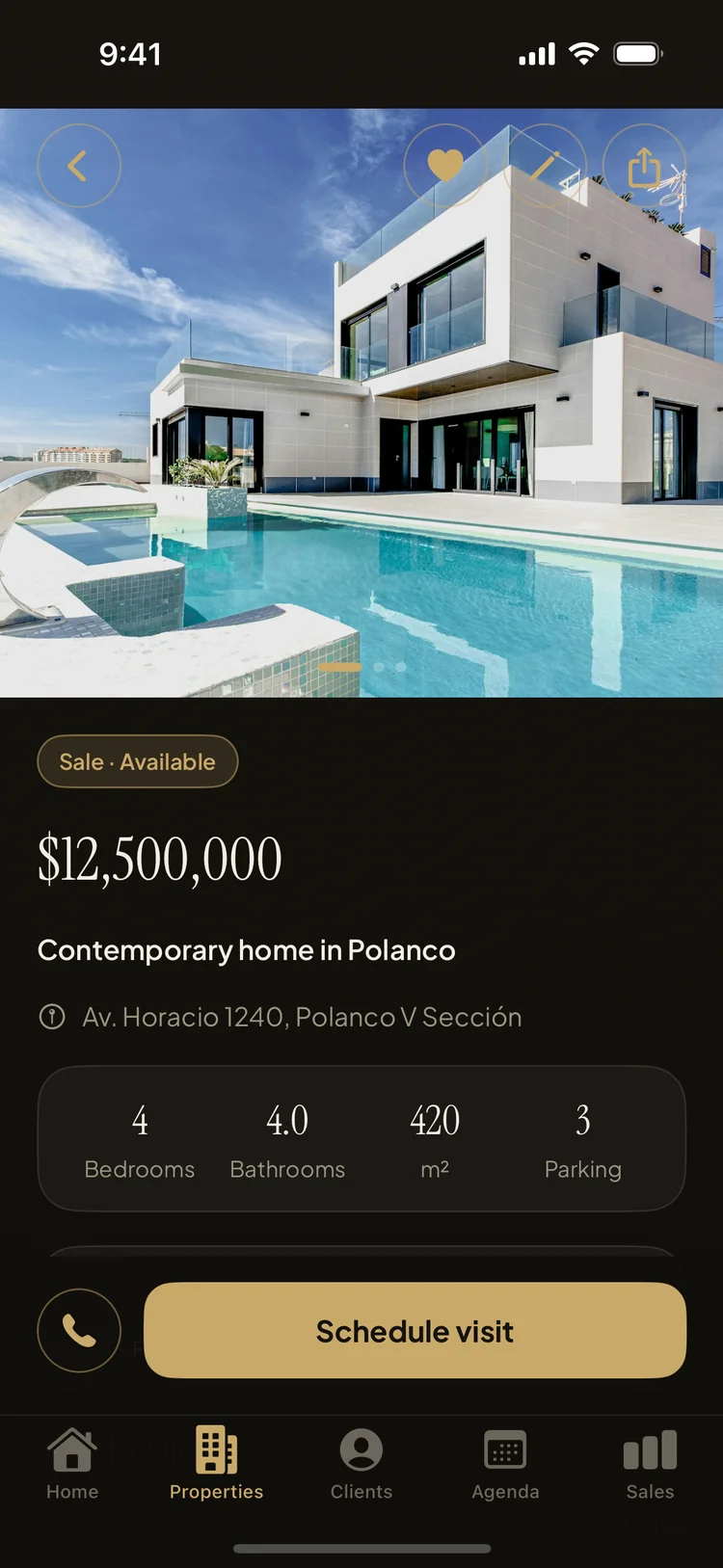
- Open the property and generate the sheet. The PDF is rendered from the same elegant layout you see on screen: photo collage, price, specs and your agent name in the footer.
- Preview it free, share it in one tap. Use the share sheet to send it by WhatsApp, email or AirDrop — or save it to Files. You can export one property's sheet or several together.
Bonus: pair the sheet with a match
The listing sheet is most powerful right after Property Agenda's client–property matching tells you which listing fits a client. Open the match, generate the PDF, and send it while the conversation is still warm — that's the whole workflow, from "I have someone for this house" to a professional document in their hands, in under a minute.
How many sheets can I export?
Previewing sheets is always free. The free plan includes 3 shared PDF exports so you can feel the workflow with real clients; Property Agenda Pro makes exports unlimited, along with unlimited properties and clients.
Send a sheet that impresses — today
Property Agenda is free on the App Store. No account, no login, works offline.
Download Property Agenda